Defrag and Defrag, all your IT friends IT admins always ask you to do it. But WTH is it?
Copy, Move, Cut, Paste, Delete, Install, Uninstall, Download.... So on and so forth.
While doing all this minor operations, your hard disk is actually quite messy, is just that you do not know.
Lets say you have a new hard disk. It clean[physical - internal]. So you start adding stuff. Then they take up some space from your hard disk. And then you delete some of them.
Result? Your hard disk is messed up. But why? I had arrange the files in folders. Yes they are arranged on the appearance but not physically.
To simplify the explanation I am going to use an analogy.
There are 2 empty drink bottles A and B[capacity of 3L each], you have 4 semi-liquid object, Q,W, E, R, of 1L, 1L, 2L, 3L respectively.
1. You added in Q and W bottle A.
2. You want to add R into bottle A but its already half full, so you split(fragments) it up into 1L and 2L and put the remaining 2L into Bottle B. Thus there is fragmentation.
3. You decided to remove Q from bottle A.
4. Then you add E into Bottle A but it was full and you split it(fragments) into 1L and 1L
So now the bottle A contain some of W, E, R.
Bottle B contain some of R.
When you want to get whole of E, you have to retrieve it from 2 bottles, thus wasting your time. This is where defragments comes in. Defragmentations, will actually move W and E into bottle A and the remaining W into bottle B. Thus keep all related files altogether.
So a hard disk also work quite similarly, thus as a hard disk get used too often, they tend to slow down, and you should start defrag-ing your hard disk soon.

Friday, October 1, 2010


Thursday, September 30, 2010
Launchy, The one for Keyboard Fanatics
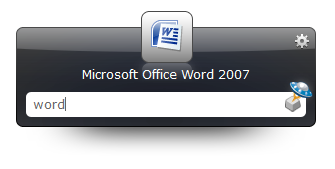
Launchy! Few keystrokes and there you go, launching your applications.
[Alt] + [Space] + "Word", that is all you need to launch your applications within your pc.
Plugins are also available to download for you to do task like exiting a computer process, open chat windows for messenger and also finding the multiple windows that you have just open. Great for speed typers on messenger.
You can change the skins for it too! With many skins available to choose and download from devianart, from glossy design to domo.
This applications is not only free, but also available for different platform, from Windows to Mac and Linux.
 | |
| Source |
Plugins are also available to download for you to do task like exiting a computer process, open chat windows for messenger and also finding the multiple windows that you have just open. Great for speed typers on messenger.
You can change the skins for it too! With many skins available to choose and download from devianart, from glossy design to domo.
This applications is not only free, but also available for different platform, from Windows to Mac and Linux.
Wednesday, September 29, 2010
Words Dominations
Word Domination simply dominate your crosswords puzzle. Filling your thoughts with letters to fill? It will fill em up for you!
This little web apps need no instructions. Its as easy as you can see. Choose the number of characters at the side, and fill the boxes with letters that you already have. Then it click [Search] it will populate words that you can fill them with.
Enjoy!
 | |
| Source |
Enjoy!
Tuesday, September 28, 2010
Temporarily Lock Out!
Now if you left your laptop at home or in school, you would normally lock them up to have privacy. But often people would go to the extend to guessing your password trying to unlock it to find your secrets.
Now I am going to teach you on how to lock them up temporarily with Command Prompt.
(Currently working on Win7 and Vista, have not tried it on others.)
Command Prompt (Do take note to follow each steps carefully, if you type in wrong you may get lock out.)
1. Right click on CMD (your command prompt) and click "Run as administrator"
2. Type in "net accounts", you will see that your lockout threshold is none
3. Type in "net accounts /lockoutthreshold:3", this will change the max tries to 3
4. Type in "net accounts /lockoutduration:30", this will chage the lockout time to 30 mins
5. Type in "net accounts /lockoutwindow:30", this will reset the number of incorrect logins after 30 mins.
6. Type in "net accounts", to see the updated changes
Quick Tip: You can always lock your computer with [Win]+[L]
Now I am going to teach you on how to lock them up temporarily with Command Prompt.
(Currently working on Win7 and Vista, have not tried it on others.)
Command Prompt (Do take note to follow each steps carefully, if you type in wrong you may get lock out.)
1. Right click on CMD (your command prompt) and click "Run as administrator"
2. Type in "net accounts", you will see that your lockout threshold is none
3. Type in "net accounts /lockoutthreshold:3", this will change the max tries to 3
4. Type in "net accounts /lockoutduration:30", this will chage the lockout time to 30 mins
5. Type in "net accounts /lockoutwindow:30", this will reset the number of incorrect logins after 30 mins.
6. Type in "net accounts", to see the updated changes
Quick Tip: You can always lock your computer with [Win]+[L]
Monday, September 27, 2010
Photography: Panning
This tutorial will show you how to get images like this:
The technique to capture images like this is called panning. To get this picture, you have to press the shuttle button when the car is within your viewfinder and move slightly to the direction in which the vehicle is moving as you press it. Thus all the background is blurred except the moving object.
It may not be easy to start as you need to know how much to move your camera with respective of the moving object speed.
So in order to get more pictures that are like this, you need to have practice, practice and more practice.
 |
| Image taken at SG GP on 25 Sept 2010 |
The technique to capture images like this is called panning. To get this picture, you have to press the shuttle button when the car is within your viewfinder and move slightly to the direction in which the vehicle is moving as you press it. Thus all the background is blurred except the moving object.
It may not be easy to start as you need to know how much to move your camera with respective of the moving object speed.
So in order to get more pictures that are like this, you need to have practice, practice and more practice.
Subscribe to:
Posts (Atom)